
We're back with another exciting Addo update!
With Addo 2026.22.0, we're making it easier to create, manage and complete digital forms.
Following recent user testing, we've focused on making Addo Forms more intuitive, simplifying everyday tasks and improving the experience for both Form Managers and respondents. We've also introduced new ways to manage reusable content, improved transaction overviews and continued strengthening the reliability and security of the platform.
Let's take a closer look at what's new!
Addo Forms
Build forms faster with fewer clicks
Creating forms should feel simple, even when the forms themselves are complex.
We've improved the Form Builder to make everyday tasks quicker and more intuitive, reducing the need to navigate through multiple menus and settings.
Here's what's improved:
- Edit directly in the Builder: Double-click components to edit questions, descriptions and placeholders without navigating through multiple menus.
- Quick actions at your fingertips: Easily duplicate, move, edit or delete sections, rows and components using new contextual menus.
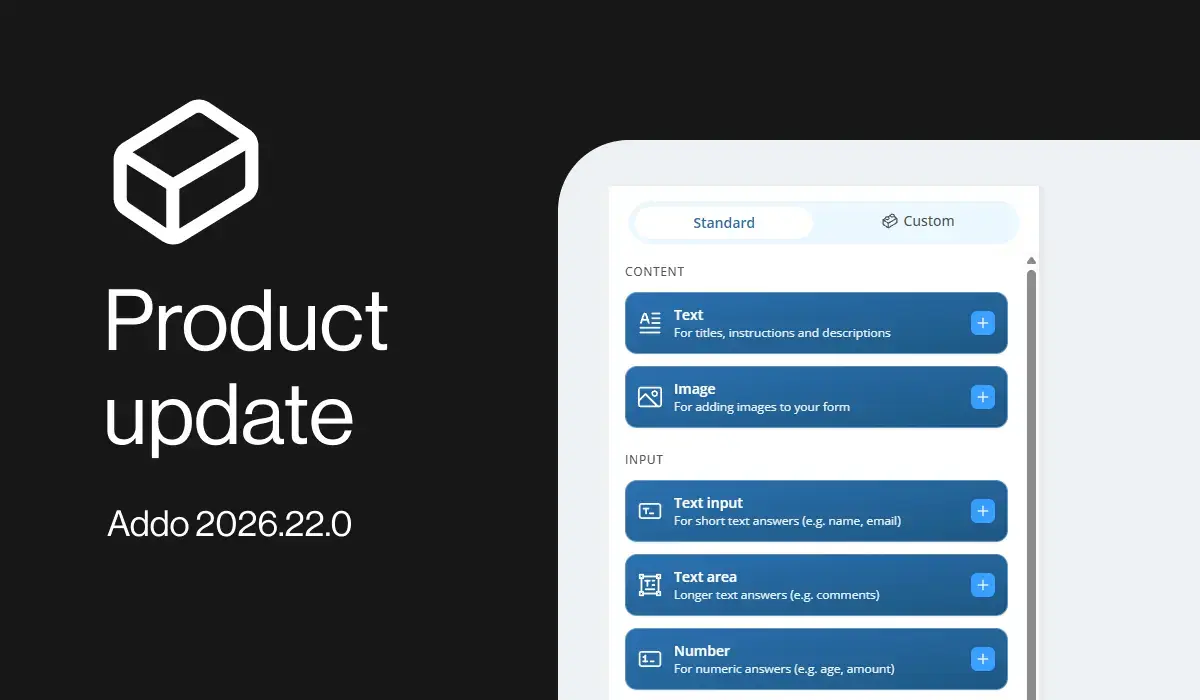
- Add components your way: Drag and drop components into a column or use the new (+) button to choose exactly where they should go.
- Edit options instantly: Click directly on a Radio or Checkbox option to access its settings.
- Simpler navigation: Improved side panels, Back buttons and settings navigation make it easier to find what you need.
These improvements mean less time navigating settings and more time creating the forms you need.
A cleaner and more consistent experience
Small improvements can make a big difference when you're working with forms every day.
We've refined the Form Builder to provide a cleaner and more consistent experience, with improvements throughout the interface.
You'll notice:
- Clearer settings with helpful information tooltips.
- Improved text editing and formatting controls.
- More consistent buttons, colours and labels.
- Better spacing and alignment throughout the Builder.
- More intuitive navigation across Forms, Custom Sections and Custom Components.
The result is a more streamlined experience that helps you stay focused on your work.
Reuse and manage your content with confidence
Reusable content is one of the most powerful capabilities in Addo Forms, particularly when managing multiple forms.
This release makes it easier to organise, review and reuse your content.
Preview previous versions
You can now preview older versions of Forms, Custom Sections and Custom Components.
Need to check how a form looked before a recent change? Simply open the version history and preview the version you want to review.
More room to manage your Forms
The Forms overview now automatically expands to use the available screen width when no item is selected, giving you more space to browse and manage your content.
Better identification of reusable components
Custom Components can now include descriptions, making it easier to understand their purpose and choose the right component when building a form.
More ways to get started with Form Examples
Not every form needs to be built from scratch.
We've introduced a new General category in our Form Examples library, making it easier to discover ready-to-use examples for common business scenarios.
Form Examples provide a convenient starting point that you can customise to suit your organisation's needs.
A smoother experience for your respondents
A great form isn't just easy to build. It should also be easy to complete.
We've improved keyboard navigation in multi-column forms, allowing respondents to move between fields using the Tab key in the same order they appear on screen, from left to right.
We've also improved component alignment and spacing to create a cleaner and more consistent form experience.
These changes make forms easier to navigate and complete, helping respondents move through the process more smoothly.
More reliable Forms and reusable content
We've addressed several issues that could cause component settings to be lost when content was published, duplicated or reused.
Settings such as number formats, currencies, linked dates and component styling are now preserved more reliably.
We've also improved how Custom Components behave across different builders, helping ensure that reusable content works as expected.
Addo Workspace
Better visibility of Forms requiring signing
Managing Forms that require signatures is now more straightforward.
Forms transactions now display more meaningful information in the Transaction Overview, including:
- The name of the Form.
- The respondent responsible for completing and signing it.
- Any additional signers involved in the process.
This makes it easier to understand the transaction flow and follow the progress of a Form from submission through signing.
Improved search and filtering
We've improved searching and filtering in the Transaction Overview, making it easier to find the transactions you need.
Email searches now work regardless of capitalisation, providing a more consistent search experience.
Security, stability and performance
Continued investment in security and reliability
Security and reliability remain important priorities in the ongoing development of Addo.
In this release, we've introduced several improvements to strengthen the platform, including security updates to Forms1, better handling of account sessions in Forms and new technical capabilities for monitoring Forms service availability.
We've also improved how component settings are handled internally, reducing the risk of configuration issues when content is reused.
While these changes may not always be visible, they're important for delivering a more stable and dependable experience for your organisation.